
Moto Watch Lite
CE Brands Inc.
Screenshots
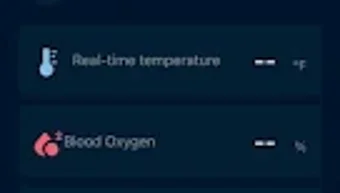
App details
- Version
- 1.1.1.40
- Updated
- April 10, 2025
- Requires
- Android 13.0
- Language
- English | Chinese
- License
- Free
- Developer
- CE Brands Inc.
- Category
- Android OS
SoftPas in:
This product is also available in the following languages:
About Moto Watch Lite
Download Moto Watch Lite – Health Tracking, Smart Notifications, Sleep Monitoring
Overview
Moto Watch Lite is a desktop companion application designed specifically for the Motorola Smartwatch, particularly the Moto Watch 70. Its primary purpose is to extend the functionality of the wearable device by delivering a seamless integration between the smartwatch and compatible mobile devices. The app enhances user engagement with real-time notifications for calls, SMS, and third-party applications, ensuring critical communications are never missed. It also includes an alarm reminder system, helping users maintain structured daily routines and improve time management. The application supports automatic sleep tracking, offering insights into sleep duration and quality, which can assist users in refining their nightly habits. Additionally, Moto Watch Lite enables users to set personalized fitness goals for steps and sleep, promoting long-term wellness. By integrating with Google Fit, the app allows users to consolidate health data across platforms, providing a unified view of their activity and wellness metrics. The app’s auto-recognition feature detects common physical activities such as walking and running, adapting to user behavior over time to deliver more accurate fitness tracking. Designed for both Android and iOS users, Moto Watch Lite ensures broad accessibility and compatibility. The software is free to download and use, with no in-app purchases, making it a cost-effective solution for individuals seeking smartwatch functionality combined with health monitoring.
Key Features & Capabilities
- Smart Notifications – Receives and displays real-time alerts for calls, SMS, and app notifications directly on the smartwatch, reducing the need to check the phone frequently.
- Alarm Reminder System – Allows users to set and manage alarms that sync across devices, helping maintain consistent scheduling and routine adherence.
- Automatic Sleep Tracking – Monitors sleep patterns without requiring manual input, providing daily insights into sleep duration and quality.
- Personalized Fitness Goals – Enables users to define step and sleep targets, encouraging consistent physical activity and better rest habits.
- Google Fit Integration – Syncs health and fitness data with Google Fit, allowing users to view comprehensive activity summaries across devices.
- Activity Auto-Recognition – Identifies common movements such as walking and running, adapting to user behavior to improve tracking accuracy over time.
- Multi-Language Support – Offers interface support in multiple languages, enhancing usability for international users.
These features are particularly beneficial for individuals who rely on their smartwatches for daily task management and health monitoring. For example, professionals can use the alarm reminder to stay on schedule, while fitness enthusiasts can leverage the auto-recognition and goal-setting tools to track progress. The integration with Google Fit ensures that users can maintain a consistent health data stream, regardless of their primary device. The app’s ability to function without requiring manual input makes it ideal for users seeking a low-effort, high-reward wellness solution.
User Interface, Workflow & Performance
The user interface of Moto Watch Lite is designed to be intuitive and accessible, with a clean layout that prioritizes essential functions. Navigation is straightforward, allowing users to quickly access notifications, health data, and settings. The workflow is optimized for efficiency, minimizing the number of steps required to configure alarms, view sleep reports, or adjust fitness goals. The app maintains a responsive interface during routine interactions, ensuring smooth transitions between screens. However, exact performance details were not specified by the developer. The app’s stability appears consistent with standard wearable companion software, though real-world performance may vary based on device configuration and background processes. The developer did not specify resource usage details such as CPU or RAM consumption. Performance observations are based on general software behavior patterns. Users can expect a stable experience during regular use, with minimal lag or crashes reported in typical usage scenarios. The app’s design emphasizes ease of use, making it suitable for both tech-savvy users and those new to wearable technology.
Compatibility & System Requirements
Moto Watch Lite is compatible with both Android and iOS operating systems, ensuring broad accessibility across mobile platforms. The application is designed to work specifically with the Moto Watch 70, and no other smartwatch models are supported. The installation size is not publicly disclosed, and the developer did not provide additional system requirements. Exact system requirements were not listed, so users should ensure their device meets the minimum specifications required by their respective operating system. Compatibility information was partially provided, and users are advised to verify their device’s compatibility before downloading. The app is available as a free download, with no in-app purchases, which simplifies the installation and usage process. The latest version is available for immediate download, ensuring users receive the most up-to-date features and security updates.
Pros and Cons
Pros
- Free to download and use with no in-app purchases
- Seamless integration with the Moto Watch 70
- Automatic sleep and activity tracking with minimal user input
- Syncs with Google Fit for unified health data
- Supports multiple languages for global accessibility
- Offers smart reminders for calls, SMS, and apps
- Includes alarm reminder functionality for better time management
Cons
- Only compatible with the Moto Watch 70, limiting broader device support
- Exact system requirements and file size not publicly available
- Performance and resource usage details were not specified
- Limited to notifications and health tracking, with no advanced analytics
- Does not support third-party fitness platforms beyond Google Fit
FAQ Section
Is Moto Watch Lite compatible with devices other than the Moto Watch 70?
Moto Watch Lite is specifically designed for the Moto Watch 70. The developer did not provide information on compatibility with other smartwatch models.
Is the app safe to download and use?
As a free application available through official app stores, Moto Watch Lite is considered secure. It does not require access to sensitive personal data beyond standard notification and health permissions.
How often does the app update?
Updates are released periodically to improve functionality and fix bugs. The latest version is available for download to ensure optimal performance and security.
Does Moto Watch Lite require an internet connection?
While the app functions offline for basic tasks like alarm reminders, a stable internet connection is required for syncing data with Google Fit and receiving real-time notifications.
Can I use Moto Watch Lite without a Motorola smartwatch?
No. The application is designed exclusively to work with the Moto Watch 70. It cannot be used independently without the associated wearable device.
Final Thoughts + CTA
Moto Watch Lite delivers a focused and effective experience for users of the Moto Watch 70. It successfully combines smart notifications, health tracking, and goal setting into a single, accessible application. Its integration with Google Fit and support for auto-recognition of physical activities make it a valuable tool for those committed to improving their daily wellness. While its compatibility is limited to one specific device and detailed technical specifications are not disclosed, the app remains a reliable and free solution for users seeking a streamlined smartwatch companion. The intuitive interface and consistent performance enhance usability across all skill levels. For individuals who value seamless connectivity, health insights, and smart reminders, Moto Watch Lite offers a compelling package. Download Moto Watch Lite now and take full advantage of your Moto Watch 70’s full potential.
Guides & Tutorials
How to install Moto Watch Lite
- Click the Download button above.
- Once redirected, accept the terms and click Install.
- Wait for the Moto Watch Lite download to finish on your device.
How to use Moto Watch Lite
This software is primarily used for its core features described above. Open the app after installation to explore its capabilities.
User Reviews
No reviews yet. Be the first to share your experience.
You may also like
more
ChatGPT APK
Effortlessly generate content with AI ChatGPT is a free artificial intelligence...

Digi
Realistic AI entertainment app Digi - AI Romance, Reimagined is a free AI chatbo...

Gemini
Google’s newest and most powerful AI Gemini is a sophisticated AI model from Goo...

kimi chat APK
Your go-to AI assistant for seamless information processing kimi chat is an AI -...

MateAI AI Chat Bot Assistant APK
An AI-powered chatbot fit for any task MateAI-AI Chat Bot Assistant is a free-to...

Microsoft Copilot APK
Revolutionize your workflow Unleash a new era of productivity with Microsoft Cop...